NEW: Create your own magic with Saal AI

NEW: Create your own magic with Saal AI

Smart tools that make designing easier than ever

Saal AI is built directly into our design software, whether you create on your smartphone, tablet or computer. Available across all Saal Digital photo products, these tools help you improve images, edit details, generate custom visuals and add personalised touches — so creating something beautiful feels easier from start to finish.

See these tools in action — in under 60 seconds

See these tools in action — in under 60 seconds

Watch the video to get a quick look at how Saal AI helps you design smarter, faster, and with more creative freedom.

Explore our range of AI tools

Edit your images easily with the AI Editor (Beta)

Edit your images easily with the AI Editor (Beta)

Our AI Editor helps you make quick, precise changes to your images without leaving the design process. To use it, simply click on any image in your project and select AI Retouch. You can then choose from popular prompts or simply describe what you need.

It’s an easy tool for both beginners and more advanced projects, and can help you with tasks such as:

  • Removing backgrounds to make portraits or objects stand out
  • Removing unwanted elements, such as signs or distracting objects
  • Improving lighting and colours for a more balanced image
  • Restoring old/historic photos to give treasured memories a fresher look
  • Making quick custom edits by typing exactly what you want

We've created a simple Youtube tutorial that will show you the full potential of this tool.

Use AI to generate personalised cliparts

Use AI to generate personalised cliparts

We already offer a wide range of cliparts for many occasions, from weddings and baby albums to travel and communion. But if you can’t find exactly what you need, you can now create your own directly in the designer. For example, you can now have your personalised cliparts on a coffee table book about your last trip.

Simply open Cliparts, click Create it with AI, and enter your prompt. Your custom clipart will be generated in around 15-20 seconds with a transparent background, ready to resize, move, and place wherever you like on your design.

Want to see how easy it is? Click below to watch our Youtube tutorial.

Create custom images for your design

Create custom images for your design

Our AI Image Generation feature lets you create unique images directly in the designer, simply by entering a prompt. To use it, go to Add element > AI Image and describe what you want — your image will be generated in just a few seconds.

It’s a simple way to add a more personal touch to your design, and can be especially useful for:

  • Creating custom backgrounds for Photo Books, Cards, Wall Art...
  • Filling empty spaces in your layout in a creative way
  • Adding decorative images that match your style or theme
AI that improves your photos behind the scenes

AI that improves your photos behind the scenes

Some of our AI-powered tools work in the background to help you achieve the best possible print quality — with no extra effort needed.

  • AI-powered image enhancement: Improve your photos with one click. Our tool automatically optimises brightness, contrast, colours, sharpness and more to help your images look their best. You can turn Image Enhancement on or off at any time while designing. Recommended for un-edited images.
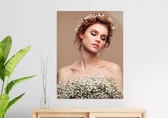
  • Advanced resizing technology: For selected products such as Wall Art, our software enhances the resolution of your images behind the scenes, adding more clarity and detail — even to smartphone photos. This allows you to print your favourite moments in large formats, up to 80 × 120 cm, with impressive quality and no extra steps during the ordering process.
AI that supports your creativity

AI that supports your creativity

At Saal Digital, photography and personal memories are always at the heart of every photo product. AI is not here to replace your images or your creativity: it’s here to help you design with more ease, enhance your photos, and create personalised details that make your product even more special.

Our goal is to help you preserve your memories in beautiful, high-quality photo products. AI is just another helpful tool to support you along the way.


How to order from Saal Digital

Mobile App

Mobile App

  • Free and superfast installation with full functionality
  • Perfect for large orders and projects
  • Available for Android and iOS
Online Designer

Online Designer

  • No installation required
  • Easy and quick access to design functionality
  • Design with PC, laptop, smartphone or tablet
Saal Design SoftwareOur recommendation

Desktop Software

  • Free and superfast installation with full functionality
  • Perfect for large orders and projects
  • Available for Windows and macOS

Frequently asked questions about our AI tools

What are the Saal AI tools?
Saal AI is a set of free AI design tools built into Saal Digital's design software. It helps you edit images, remove backgrounds, generate custom visuals and cliparts, and automatically enhance photo quality across all Saal Digital photo products, on browser, mobile, and desktop.
Are the Saal AI tools free to use?
Yes, all Saal AI tools are free and included in our design software at no extra cost. This covers the AI Editor, AI Cliparts, AI Image Generation, AI-powered Image Enhancement, and Advanced Resizing.
Do I need any design skills to use Saal AI?
No design skills are required to use Saal AI. The tools are made for everyone, from first-time creators to experienced designers. You can choose from ready-made prompts or simply describe what you want in your own words, and you always stay in control of the final design.
On which devices can I use the Saal AI tools?
Saal AI works on all platforms. You can use it in your online designer, in our mobile apps for iOS and Android, and in our desktop software for Windows and macOS, so you can design wherever you are.
Are my photos and prompts kept private?
Yes, your photos and prompts are kept private. Privacy and security come first at Saal Digital. Your uploaded photos and prompts are used only to create and improve your own design, and are never shared or used to train AI models. This applies to all Saal AI tools, including the AI Editor, AI Cliparts, and AI Image Generation.
What is the AI Editor?
The AI Editor is a tool that lets you make quick, precise changes to any image without leaving the design process. Click an image in your project, select AI Retouch, and then choose from popular prompts or describe exactly the edit you need.
What can the Saal Digital AI Editor do?
The AI Editor can remove backgrounds, delete unwanted elements such as signs or distracting objects, improve lighting and colours for a more balanced image, restore old or historic photos, and make custom edits based on exactly what you type.
How can I use AI to remove the background from a photo?
To remove a background, click your image, select AI Retouch, and choose the background removal option. The AI separates your subject from the background in seconds, so portraits and objects stand out cleanly. You can do this directly in the designer without any external tools.
Can I remove unwanted objects from my photos with AI?
Yes, you can remove unwanted objects with the AI Editor. Click your image, select AI Retouch, and describe or select what you want gone, such as signs, background clutter, or distracting elements, so the focus stays on what matters most.
Can I restore old or historic photos with AI?
Yes, the AI Editor can restore old or historic photos. It refreshes faded or damaged images to give treasured memories a cleaner, fresher look while keeping the character of the original moment.
What are AI Cliparts?
AI Cliparts are custom clipart graphics you create from a text prompt when you cannot find what you need in our standard library. Open Cliparts, click Create it with AI, and enter your prompt. Your clipart is generated in seconds with a transparent background, ready to resize, move, and place anywhere.
When should I use AI Cliparts instead of the standard library?
Use AI Cliparts when you want something more specific than our ready-made designs. We already offer a wide range of cliparts for occasions such as weddings, baby albums, travel, and communion, but AI Cliparts let you create a unique element, for example a personalised clipart for a coffee table book about your last trip.
What is the AI Image Generation tool?
AI Image Generation is a Saal AI tool that creates unique images directly in the designer from a text prompt. Go to Add element, select AI Image, and describe what you want. Your image is generated in just a few seconds, ready to place in your design.
What can I use AI-generated images for?
You can use AI-generated images to create custom backgrounds for Photo Books, Cards, and Wall Art, to fill empty spaces in your layout in a creative way, and to add decorative images that match your style or theme.
What is the AI-powered Image Enhancement?
AI-powered Image Enhancement improves your photos with one click. It automatically optimises brightness, contrast, colours, and sharpness, and can also reduce noise and correct red-eye. It is recommended for un-edited images, and you can turn it on or off at any time while designing.
Can I turn AI Image Enhancement on or off?
Yes, you can turn Image Enhancement on or off at any time while you design. You stay in full control, so you decide exactly how your photos look in your final product.
What is the difference between AI Image Enhancement and the AI Editor?
AI Image Enhancement works automatically and improves overall photo quality with one click, adjusting brightness, contrast, colours, sharpness, and noise. The AI Editor is for specific, intentional edits you choose yourself, such as removing a background, deleting an unwanted object, or restoring an old photo. Use Image Enhancement for fast overall quality, and the AI Editor for targeted changes.
What is resizing and how does it improve smartphone photos for Wall Art?
Advanced Resizing is an AI feature that enhances the resolution of your images behind the scenes, adding more clarity and detail even to smartphone photos, so you can turn them into large Wall Art. It works automatically on selected products, with no extra steps during the ordering process.
How fast do the Saal AI tools work?
Saal AI tools are fast. AI Cliparts and AI-generated images are typically created in just a few seconds, and AI-powered Image Enhancement applies its edits to your photo in a few seconds too. Advanced Resizing works automatically behind the scenes, so there are no extra steps for you when you order.
Will AI replace my own photos or creativity?
No, AI will not replace your photos or your creativity. Saal AI is here to help you design with more ease, enhance your photos, and create personalised details that make your product more special. Your photography and personal memories always stay at the heart of every product.
Why does Saal Digital offer AI tools?
Saal Digital offers AI tools to help you preserve your memories in beautiful, high-quality photo products. AI is simply another helpful tool that makes designing easier, faster, and more personal, while keeping your photos, your privacy, and your creativity in focus.
Can I use AI to print smartphone photos in large formats?
Yes. Saal Digital’s Advanced Resizing technology uses AI to enhance image resolution behind the scenes, adding clarity and detail even to smartphone photos. This lets you print favourite moments in large formats on products such as Wall Art, with no extra steps during ordering.
Show more